Adding Rules: Easy Mode
Last updated
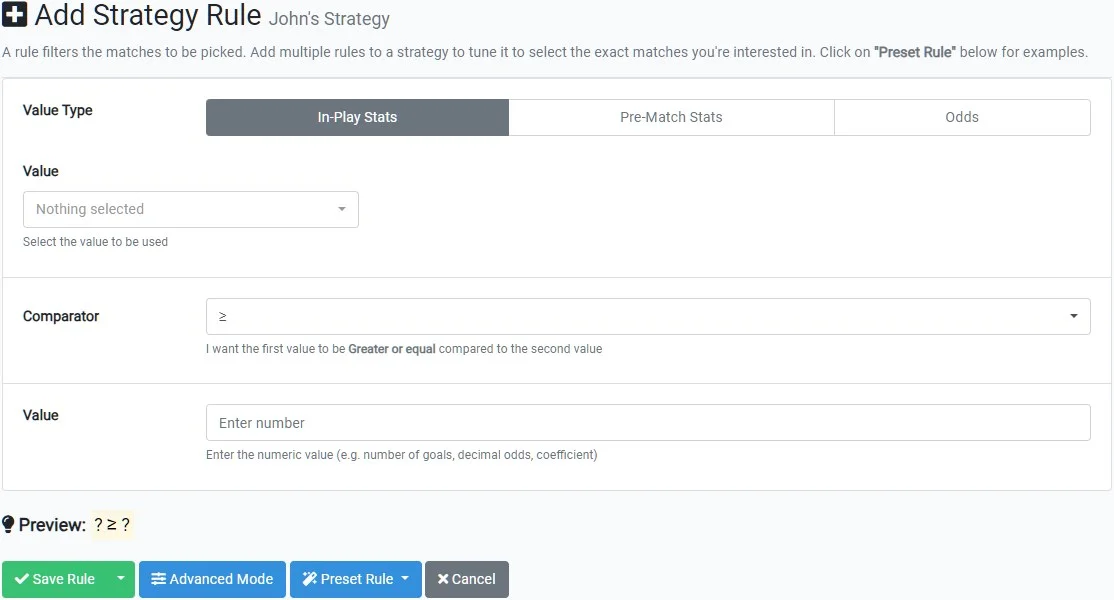
Easy Mode is designed to help you build strategies quickly and clearly, without needing to think in technical terms. Each rule focuses on answering one simple question about a match.
Step 1 — Choose what kind of value you want to check
Start by selecting the type of data your rule will evaluate:
- In-Play Stats
- Live metrics that evolve as the match progresses.
- Pre-Match Stats
- Historical data calculated before kick-off.
- Odds
- Pre-match or live market values that may change during the match.
Step 2 — Choose the specific value
Once the value type is selected, choose the exact data point you want to evaluate (for example goals, momentum, match time, or possession).
Step 3 — Choose which team the rule applies to
If the selected value is team-specific, a Team selector will appear.

- Home / Away
- Applies the rule to the selected side only.
- Sum of Teams (Total)
-
Adds the value of both teams together and evaluates the total.
This focuses on the combined figure, not on teams individually.
When working with averages or percentages, this option adds the values; it does not recalculate a new average.
- Either Team / Either Team’s Opponent
- Lets the system evaluate both teams interchangeably. This is useful when you don’t care which side fulfills the condition, only that one of them does.
- Difference Between Teams
- Evaluates the numerical difference between the two teams’ values (for example goal difference).
- Favorite / Underdog
- Identifies teams based on closing 1X2 odds. If both teams have identical odds, this distinction does not apply.
- Winning / Losing Team
- Uses the current score to identify the leading or trailing team. This rule cannot be satisfied while the match is level.
Step 4 — Choose how to compare the value
The comparator defines how the value is evaluated, such as greater than, less than, or equal to.
Step 5 — Choose the comparison value
Finally, enter the number or reference the rule should be compared against. This becomes the benchmark the live match data must meet.
Important concept: ranges and implicit “OR”
While strategies do not support explicit OR logic between rules, a single rule can naturally cover multiple values.
For example, the rule:
- Goals < 3
automatically matches games with 0, 1, or 2 goals. No additional rules are needed.
Creating bounded conditions (minimum and maximum)
When you want to restrict a value to a specific window, simply use two rules.
Example:
- Match Time > 50
- Match Time < 75
Together, these rules ensure the strategy only applies between the 51st and 74th minute.
When a condition cannot be represented as a continuous range (for example “exactly 2 goals OR exactly 4 goals”), the correct approach is to create separate strategies.
Rule examples
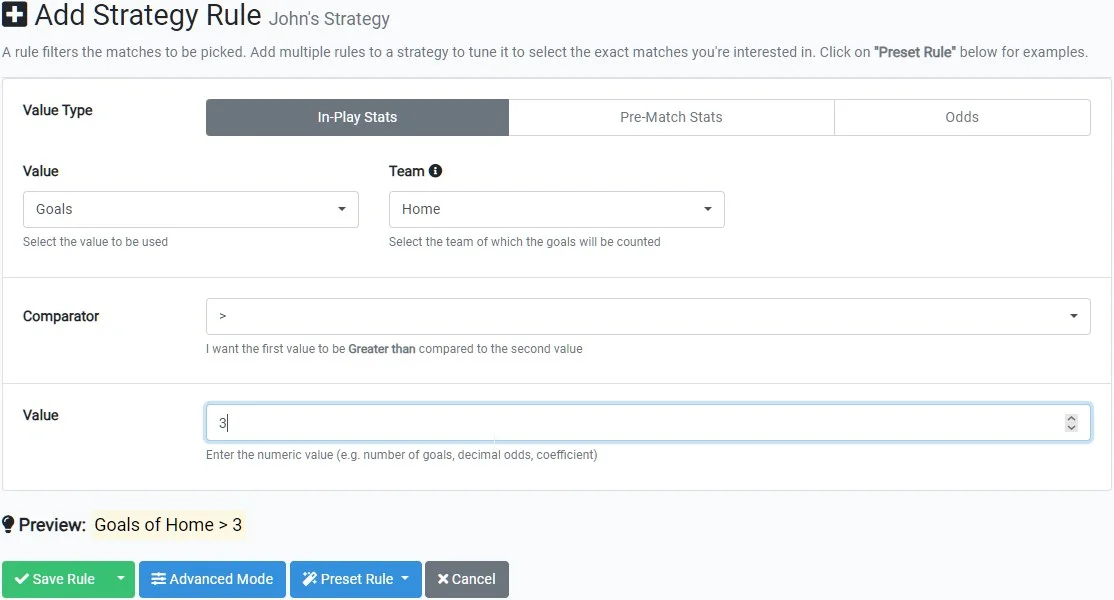
Example: Home team goals greater than 3
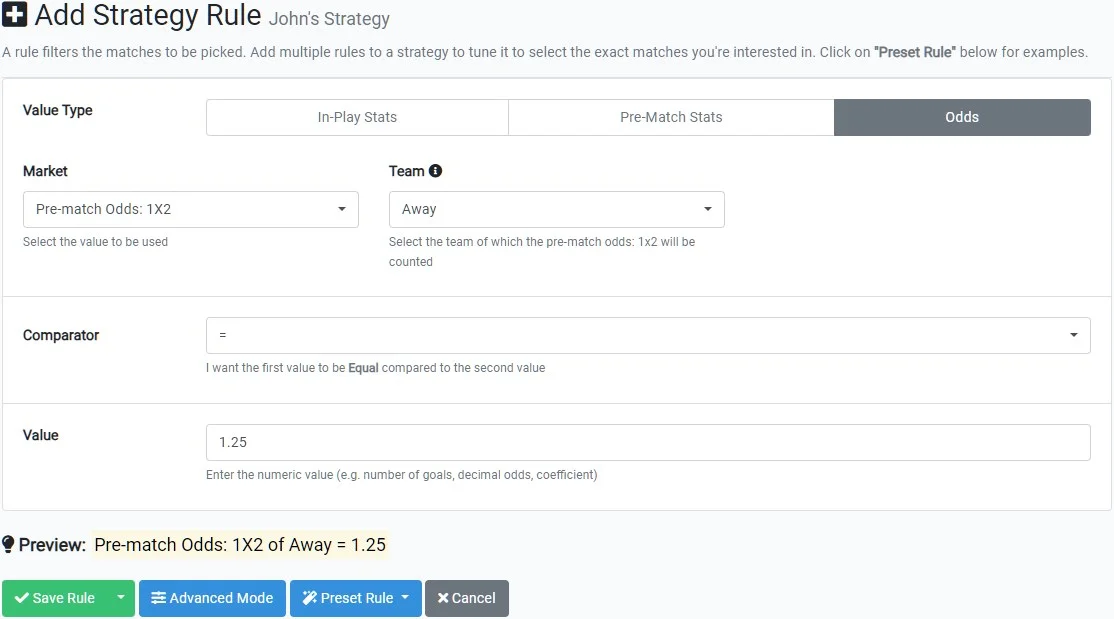
Example: Away team pre-match odds equal to 1.25
Example: Away team won at least 3 of their last 5 matches
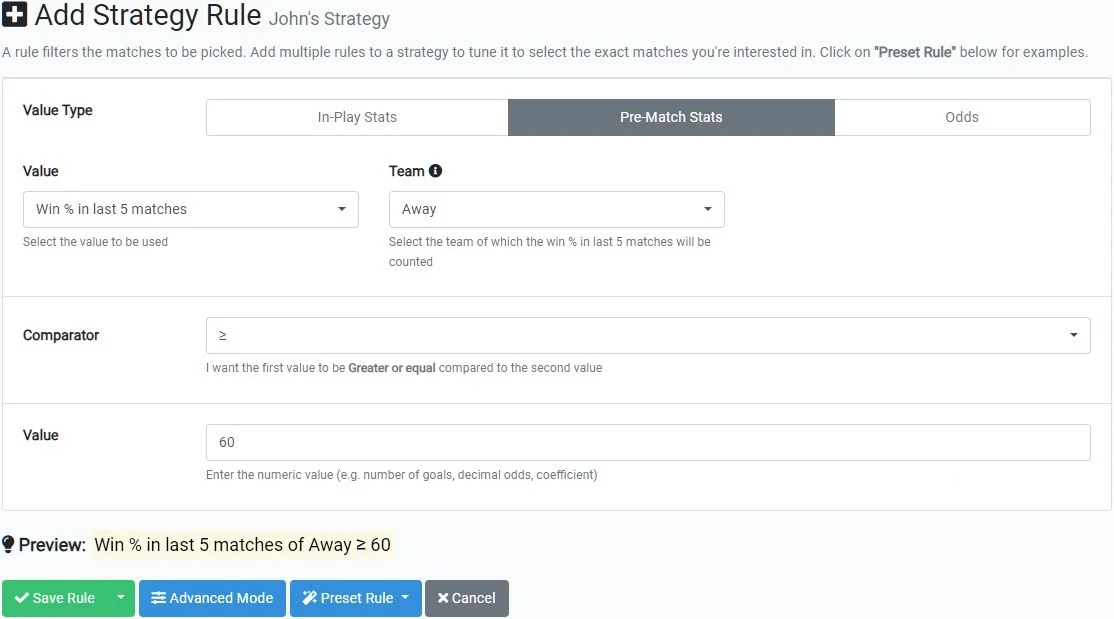
You can combine multiple rules to form highly specific strategies. A strategy can contain up to 100 rules.