Live Dashboard Structure
Last updated
The InPlayGuru in-play football (soccer) scanner is the core of the platform. It brings live match updates and key pre-match context into a single, interactive dashboard designed for speed, clarity, and control.
Live football generates a huge amount of data. To keep the scanner readable, only the most important information is shown by default. You can then add, remove, reorder, and filter columns to match exactly how you analyse matches.
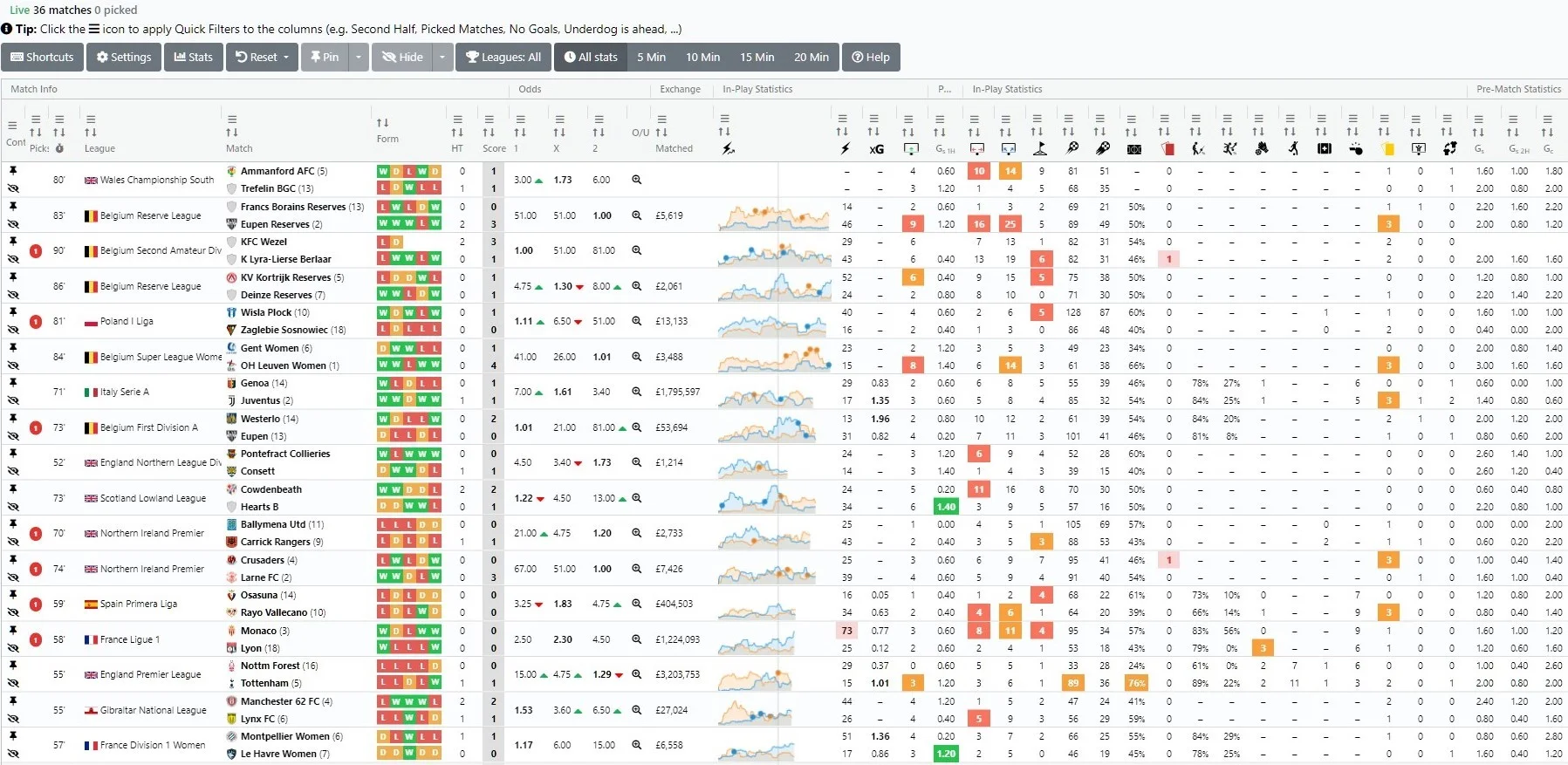
How the scanner is organised
If you’ve ever worked with spreadsheets, the scanner will feel familiar. It follows the same clear structure, making it easy to compare matches and spot patterns quickly.
Each column represents a specific metric or data point (for example goals, momentum, shots, or xG). Columns can be rearranged, hidden, or sorted to prioritise what matters most to you.
Each row represents a single live match. All relevant data for that match is displayed horizontally, allowing fast comparison across multiple games.
This structure makes it easy to:
- Compare multiple live matches at a glance
- Sort games by key statistics or match state
- Focus on a smaller set of matches using filters and pinning
Built for long sessions
The scanner automatically fits itself to your window, so scrolling always means scrolling matches — no more fighting two scrollbars. On a large monitor you simply see more matches at once.
When a strategy picks a match — or a pinned/picked match scores — the scanner shows a toast in the corner while you're looking at it, and a desktop notification when the tab is in the background. Clicking either jumps straight to the match row. Voice announcements for goals are available too — all of it controlled from your settings.
The Help button above the scanner replays the guided tour anytime. It doesn't just describe features — it moves the cursor for you, opens real tooltips, applies a real filter and puts everything back exactly as it was.